A DStv decoder that keeps rebooting goes dark, sits on the loading screen, starts up again and then does it all over a few minutes or a few hours later. People searching for help describe it as a decoder that “keeps rebooting itself”, “keeps loading” or “keeps switching off”. This guide works through the checks in the order that costs you nothing first. Each step uses what MultiChoice’s own DStv Explora guide and Eskom’s surge-protection fact sheet actually say, and it ends with who should fix the decoder if none of it works.
- Do one proper reboot first. On the DStv Explora (model 3B), MultiChoice’s guide says to press and hold the front-panel standby button for a few seconds.
- Use only the power supply that came with the decoder. The Explora runs on 12 V DC through its supplied adapter, and the warranty excludes a decoder “not being used with the correct power supply”.
- Give it air: at least 10cm of free space above and to the sides, never on carpet, never stacked with other equipment.
- Eskom says power coming back after an outage makes the voltage swing, and that a dish’s coaxial cable can carry a surge too.
- Decoder less than 12 months old? MultiChoice says repairs in that period must go through the MultiChoice Repair Centre for the warranty to apply.
Is it rebooting, or is it something else?
Before you change anything, watch what the decoder actually does. A decoder that is rebooting loses its front-panel lights or drops back to its start-up screen on its own. A decoder that stays on while the picture freezes or shows an error is a different fault, and the place to start is the signal side. For that, read our guide to the E48-32 no signal error instead.
If you have an Explora, the error light on the front panel helps you tell the two apart. These are the meanings MultiChoice prints in its guide for the DStv Explora (3B). The table applies to that model, so if you have a different decoder, check the guide that came with it.
| Explora 3B error light | What MultiChoice says it means |
|---|---|
| Solid red | Decoder is in standby |
| Flashing red | Indication of an error |
| Solid amber | Decoder is scanning |
| Solid green | Decoder is tuned to an audio or video channel |
Note what the light is doing just before the decoder restarts. If it shows flashing red before each restart, mention that when you call for help, because it narrows things down for whoever looks at it.
Step 1: one proper reboot, then stop power-cycling it
On the Explora 3B, MultiChoice’s guide gives a quick tip for the front-panel standby button: “Press and hold for a few seconds to reset (reboot) the decoder.” Our step-by-step guide on how to reboot a DStv decoder covers the other models and the remote method.
If the decoder starts restarting by itself again after that reboot, the reboot has not fixed anything. Switching it off and on every evening only hides the problem. Move on to the checks below.
MultiChoice’s Explora guide says to disconnect the power supply from the mains before connecting or disconnecting any other cables on the decoder’s back panel. So if you want to reseat the HDMI or dish cable, switch off at the wall first.
Step 2: check the power supply and the plug
The Explora is not powered straight from the mains. MultiChoice’s guide says it “operates at 12 V DC and is connected to the mains supply using the supplied power supply, rated 100 -240 Vac 50/60Hz.” That external adapter is the first thing to look at when a decoder will not stay on.
- Use the adapter that came with the decoder. The guide lists using the external power supply supplied with the decoder as one of the conditions for it to be fully functional. Its warranty does not apply to a decoder “not being used with the correct power supply”. A spare adapter from a router or another device is not a safe test.
- Take the multiplug out of the test. Plug the decoder’s adapter into a different wall socket for a day. If the restarts stop, the socket or multiplug is the likely culprit rather than the decoder.
- Look at the adapter’s cable and plug for damage, and make sure the barrel plug sits fully in the decoder’s power input.
MultiChoice’s guide is blunt about this: “Do not attempt to repair the DStv Explora yourself. You should also never remove the cover of the DStv Explora.” It also says tampering will invalidate the warranty.
Step 3: give the decoder room to breathe
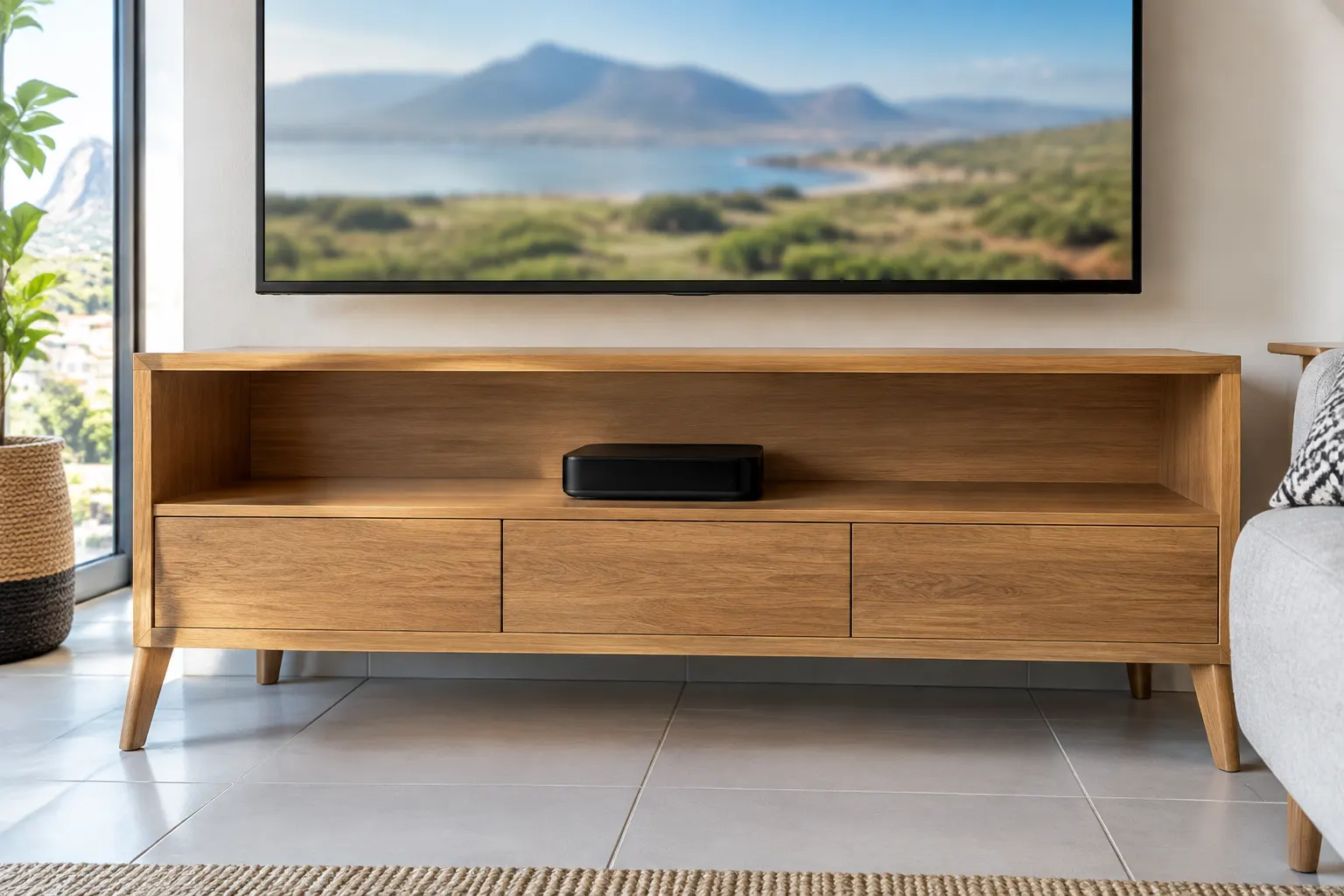
MultiChoice is specific about where an Explora should sit. The Explora quick guide says “it is essential to keep the DStv Explora cool to prolong the life of the hard disk.” It sets out four placement rules:
- Leave at least 10cm of free space above and to the sides of the decoder, and do not block the ventilation holes.
- Never stand it on soft furnishings or carpet.
- Do not use or store it near a heater or where it is exposed to direct sunlight.
- Never stack other electronic equipment on top of it or below it.
If your decoder breaks any of these rules, fix the placement and give it a few days before deciding anything else is wrong.
Step 4: power cuts, load-shedding and lightning
Every power cut and load-shedding slot ends with the power coming back on, and Eskom’s fact sheet on power surge protection explains why that matters: “When the power returns after an interruption, electrical loads are added to the networks suddenly. This causes the voltage to fluctuate dramatically, creating under or over voltage over a short time period.” It adds that these surges can be severe enough to damage components, “immediately or gradually, through regular occurrences.”
Two points in that fact sheet are easy to miss with a DStv setup.
- The dish cable is a way in too. Eskom says any lines carrying signals into your home can carry a power surge, and that if you have a coaxial cable line connected to expensive equipment, you should consider a cable surge protector. Your decoder has two ways in for a surge: the plug and the cable from the dish.
- Lightning is a different scale. Eskom says “the best protection, with lightning, is to unplug your equipment.” For lightning-prone areas, MultiChoice’s Explora guide also recommends protection devices for the power supply’s mains connector.
| Protection | What Eskom’s fact sheet says about it |
|---|---|
| Surge protector | Protects equipment, but it will not keep your electronics working during load-shedding the way a UPS would |
| UPS | Stops most surges from reaching your equipment but will probably suffer damage itself, so use a basic surge protector to save the UPS |
| Indicator light | A surge protector’s internal parts can burn out in one large surge, so choose one with a light that shows whether it is still working |
| Coaxial cable surge protector | Worth considering where a coaxial cable line feeds expensive equipment |
If you are choosing a UPS to keep the decoder, TV and router running through outages, our guide to sizing a UPS for your TV and router works through the numbers.
The Explora has an internal hard disk. MultiChoice says not to pick it up or move it while it is connected to power. To move it, first stop any recordings in progress, put it into standby, and wait 30 seconds before disconnecting it.
Step 5: check the decoder’s software
MultiChoice’s Explora guide says it updates the decoder’s software from time to time by download. On a DStv HD Single View decoder you can check for an update yourself. DStv’s help page gives this route:
- Press the blue DStv button.
- Go to Settings.
- Select User Preferences.
- Select General.
- Select Download latest software.
If that option is greyed out, DStv says the decoder is already on the latest software. Leave the decoder switched on until the download has finished.
Step 6 (Explora only): the hard drive recovery, as a last resort
DStv’s decoder FAQ on its Zambia help site has the procedure for a corrupt Explora hard drive, which it calls an emergency recovery. These are its steps:
- Disconnect the power cable.
- Press and hold P+, then plug the power cable back in while you keep P+ pressed.
- The decoder will display “CODE” on the front panel or at the top right of the TV screen.
- Release P+, then press P- P+ P+ P- (DStv writes this as 0110).
- The decoder will display “fU”. Press P+ to complete the process.
The same FAQ gives a menu route instead: press Menu (the DStv Home button), go to Settings, then System Settings, then Reset decoder settings, and choose the option to reset decoder settings and format the hard drive.
Formatting a hard drive erases what is stored on it. Expect to lose your recordings and settings. Try this only once Steps 1 to 5 have not stopped the restarts. The page is written for DStv Zambia, so the menu labels on your decoder may differ slightly.
Under warranty or not: who should fix it
If the decoder still restarts by itself after all of that, it needs a repair. Who should do it depends on its age.
| Your decoder | Where to take it | Why |
|---|---|---|
| Less than 12 months since you bought it new | MultiChoice Repair Centre | MultiChoice’s Explora guide warrants the decoder for 12 months from the date of sale, and repairs in that period must go through the MultiChoice Repair Centre for the warranty to apply. You will need the warranty certificate and the original receipt. |
| Out of warranty | A decoder repair technician | The warranty no longer applies, so the question is whether a repair is worth it compared with a replacement. |
For an out-of-warranty decoder, our DStv decoder repair and replacement team will test it and tell you honestly whether a repair is worth it. The call-out starts from R550, and it covers the visit and the diagnosis. If the decoder turns out to be healthy, the same team handles dish and cabling faults. We work across Gauteng, including our DStv installers in Randburg, and in other provinces. If your decoder will not switch on at all, see our guide to a DStv decoder that is not powering on.
FAQ
Why is my decoder switching on and off?
A decoder that restarts on its own needs checking in a set order: the power supply and socket, ventilation, power surges, software, and on an Explora, the hard drive. Rule out each one before you book a repair.
How do I reboot my DStv Explora decoder?
Press and hold the standby button on the front panel for a few seconds. MultiChoice’s Explora 3B guide gives this as the way to reset, or reboot, the decoder.
How do I do a hard reset on a DStv decoder?
On an Explora, DStv describes an emergency recovery: hold P+ while you plug the power back in until it shows CODE, release it, press P- P+ P+ P-, then press P+ when it shows fU. Treat it as a last resort.
How do I know if my DStv decoder is faulty?
Suspect the decoder if it keeps restarting after you have tried the supplied adapter in a different wall socket, given it ventilation, and checked its software. On the Explora 3B, a flashing red light means an error.
Why does my DStv keep cutting out?
Watch the decoder while it happens. If the decoder itself restarts, work through the power, ventilation and software checks in this guide. If it stays on and only the picture drops, start with the signal and any error code on the screen.
Further reading
Need Professional DSTV Installation?
Our accredited installers offer same-day service across South Africa.